

Recommendations to optimize the Portal Transparència
GUIDEThis guide includes a set of good practices to optimize the use of the Transparency portal that we offer from the AOC. It is designed to help local entities improve the quality, updating and visibility of the information published, while guaranteeing compliance with legal obligations in matters of transparència and active advertising.
It is mainly aimed at:
- Responsable of transparència of local bodies
- Portal editors with access to content management
- Communication and open government technicians
- Any professional involved in the management of public information
The guide is divided into 2 sections:
- Control Panel i theBI report: to monitor the status of the portal, detect expired items, analyze statistics and collect citizen opinion.
- Activation of Automatic items: to publish information in an automated and efficient way, through open data or redirects.
Each section includes step-by-step instructions, recommendations, and real-world examples to facilitate application.
1. Dashboard
The Dashboard is a management tool integrated into the Portal. Transparència which provides a structured view of the status of published content.
Allows monitoring:
- The portal's update level and item expiration dates
- Analyze the fill rate
- Comments received from the public
- Detailed visit statistics through analytical data
This tool facilitates the detection of deficiencies, the planning and prioritization of improvements and the monitoring of compliance with obligations. transparència, contributing to a more efficient management of the Portal Transparència.
Access to the dashboard
- Step 1. Access to the Portal interface Transparència the portal EACAT, through authentication with a T-CAT digital certificate or username/password. Once authentication is complete in EACAT, access to the portal will be through the “Applications”/”Open Government” tab.
- Step 2. To consult the Control Panel from the Portal of Transparència you must be a user with editor roleOtherwise, contact the user manager ofEACAT from your entity to assign you the role.
- Step 3. To access the Dashboard from the Portal edition Transparència, you must select “Configuration” in the “Administration” section.
- Step 4. Check the content of the different levels of the Dashboard
Dashboard content
The content of the Dashboard is presented at different levels:
- Nivell 1. Viewing and reviewing expired and near-expired items
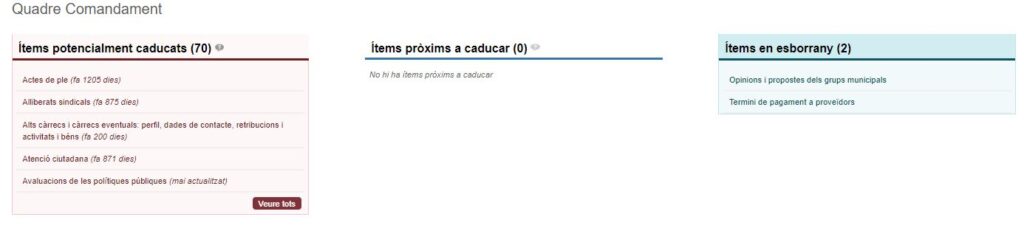
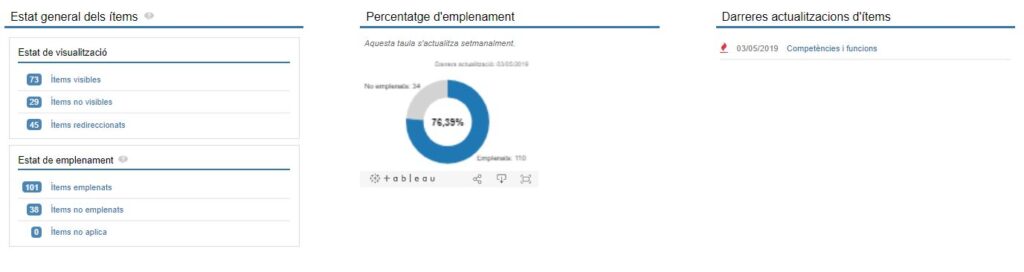
- Nivell 2. Display of items grouping them according to visibility, percentages of completion or space dedicated to the lasteres updates. This will allow you to perform a good analysis of the status of the items, their review and update.
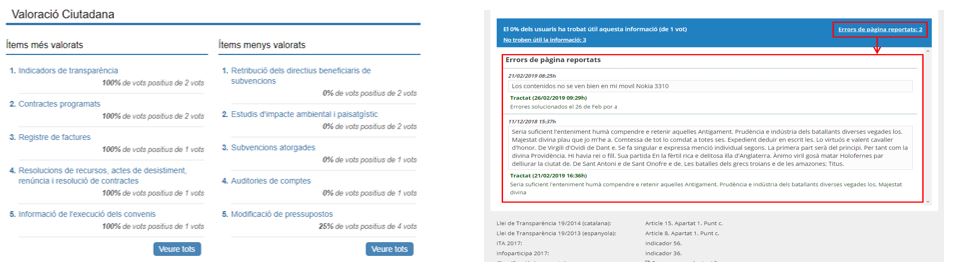
- Nivell 3. Know the opinion of citizens and promote a Portal of Transparència more up-to-date and of higher quality: citizens will be able to report the usefulness of the information for each item, in an agile and fast way, indicating whether they found the information useful (if not, indicate the reason), or indicate if they have detected any error on the page.
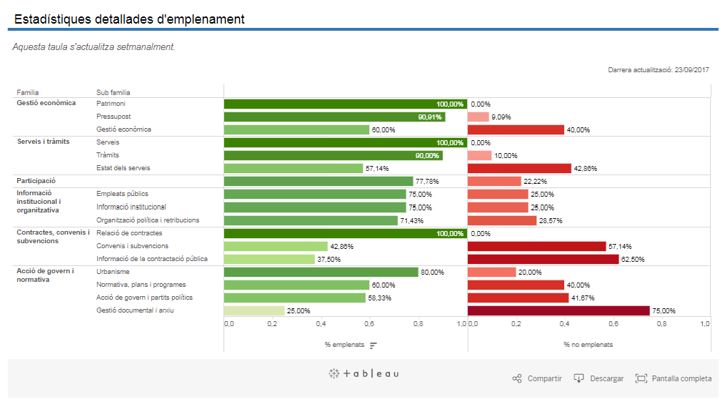
- Nivell 4. Expandable at three levels of the different existing items for the entity, facilitating the navigation and creation of own reports
- Nivell 5. Check the information of visits to the portal using data from Google Analytics. This data will be updated monthly. In addition, availability in open data of the dataset that shows visits at a historical level and by year to each entity's portal.
2. Report on completion of items of transparència
In order to improve the quality and visibility of the information published on the portals of transparència, a is made available BI report with territorial visionThis report allows you to analyze the status of automatic and manual items, detect good and bad practices, and facilitate decision-making by local entities.
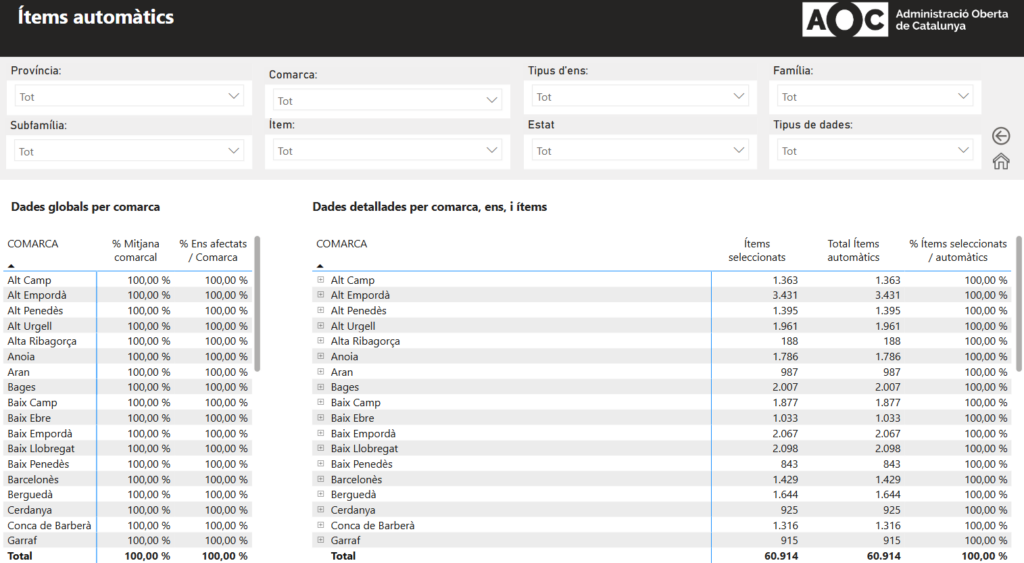
Tab 1 and 2 – Automatic items grouped by counties by provinces
These tabs allow the detection and correction of bad practices related to automatic items, such as:
- Hidden automatic items
- Empty auto items
- Incorrectly redirected automatic items
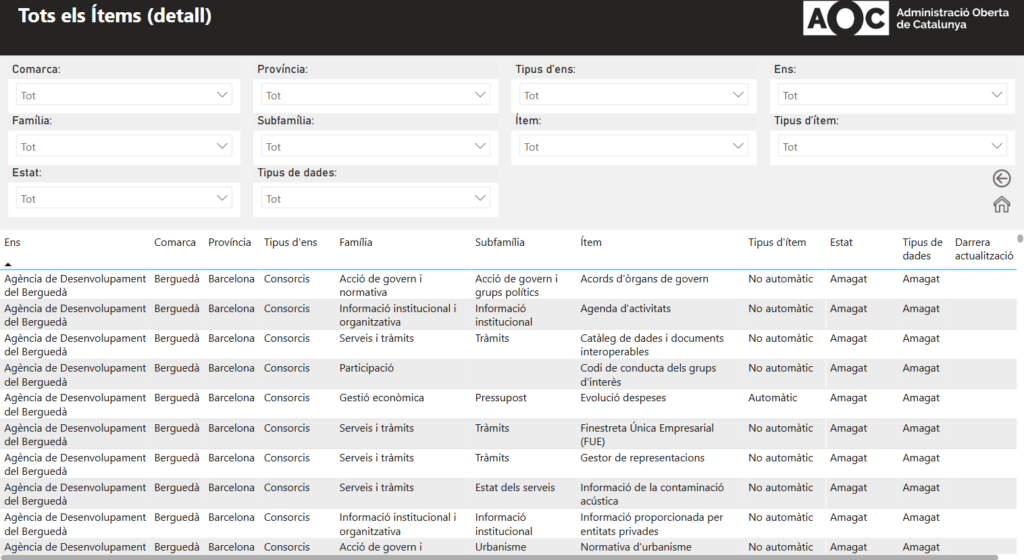
Tab 3 and 4 – All items
It allows a global view of the status of the items published by each city council. This analysis helps identify visible items that are empty and that, therefore, should be reviewed and completed.
3. Enabling automatic items
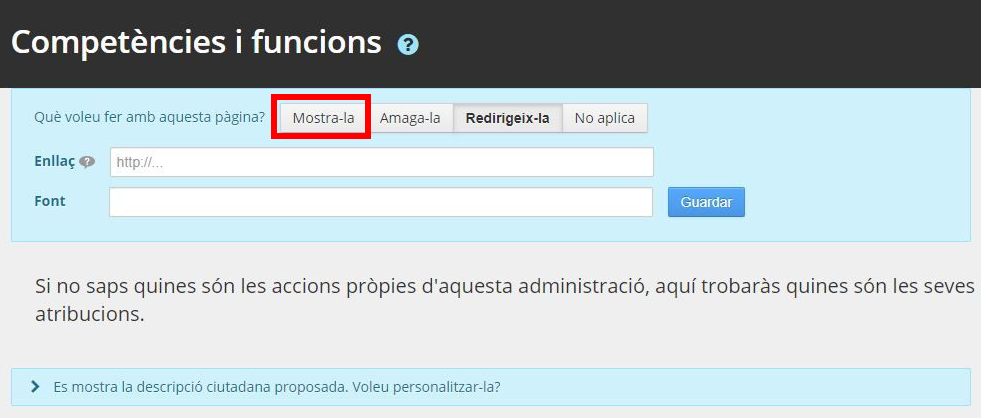
The activation of automatic items is key to guaranteeing compliance with obligations in terms of transparència and active advertising. On the Portal of Transparència There are two types of items in the AOC: automatic [A] and manuals [M]. In the case of automatic items, the following indicates how to make their data visible, following the following steps:
- Access the Portal editing portal Transparència.
- Select the automatic items [A] and click the button “Show it”.
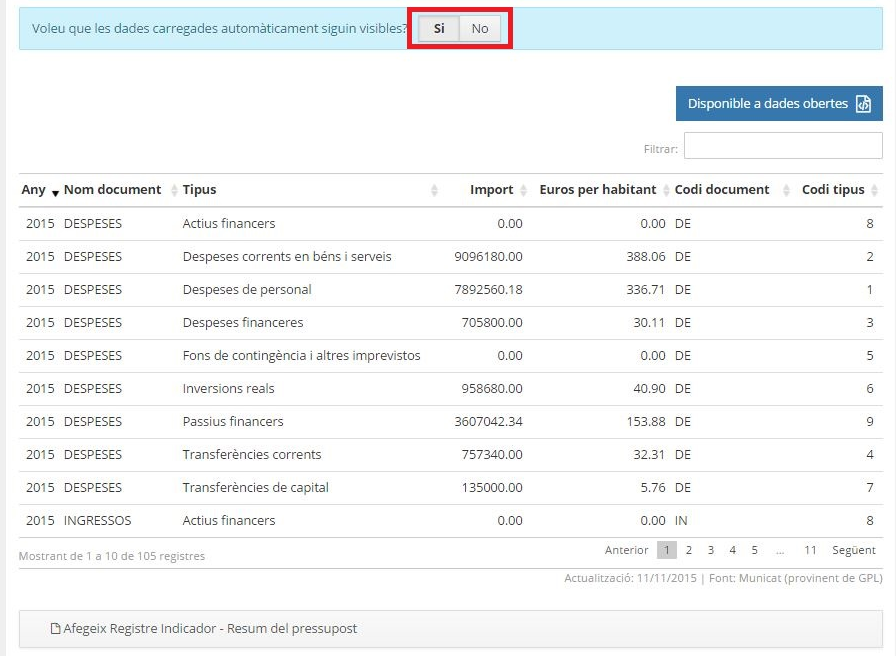
- Activate options:
- “Do you want automatically loaded data to be visible?”
- “Do you want this chart to be visible?”
- Rcheck redirect items [A*] and activate the default URL with the option “Redirect it”.
4. Examples of items published with automatic data
Here are real examples of automated items with open data:
- Collaboration agreements – Morell Town Hall
- Grants awarded – Castellar del Vallès City Council
- Debt – Pallaresos City Council
- Average Payment Period to Suppliers (PMP) – Masies de Roda Town Hall
- Effective cost of services – Perafort City Council
- List of contracts awarded (historical) – Berga City Council
- Economic management – Puig-reig City Council
- List of minor contracts (historical) – Aitona City Council
5. Advice and support
For any queries related to the implementation of these recommendations, local entities can contact the AOC Consortium Territorial Dynamization and Advice Unit through the mail dinamitzacio@aoc.cat, or with your regional representative of the Regional Council, who can offer you advice and direct guidance.